Cleaner Structure, New Flexibility: The 'Columns, Text & Media' Paragraph Type Has Been Revised
2 minutes
The popular 'Columns, Text & Media' paragraph type is now more clearly organized and comes with new features, including three layout options and a handy anchor link.
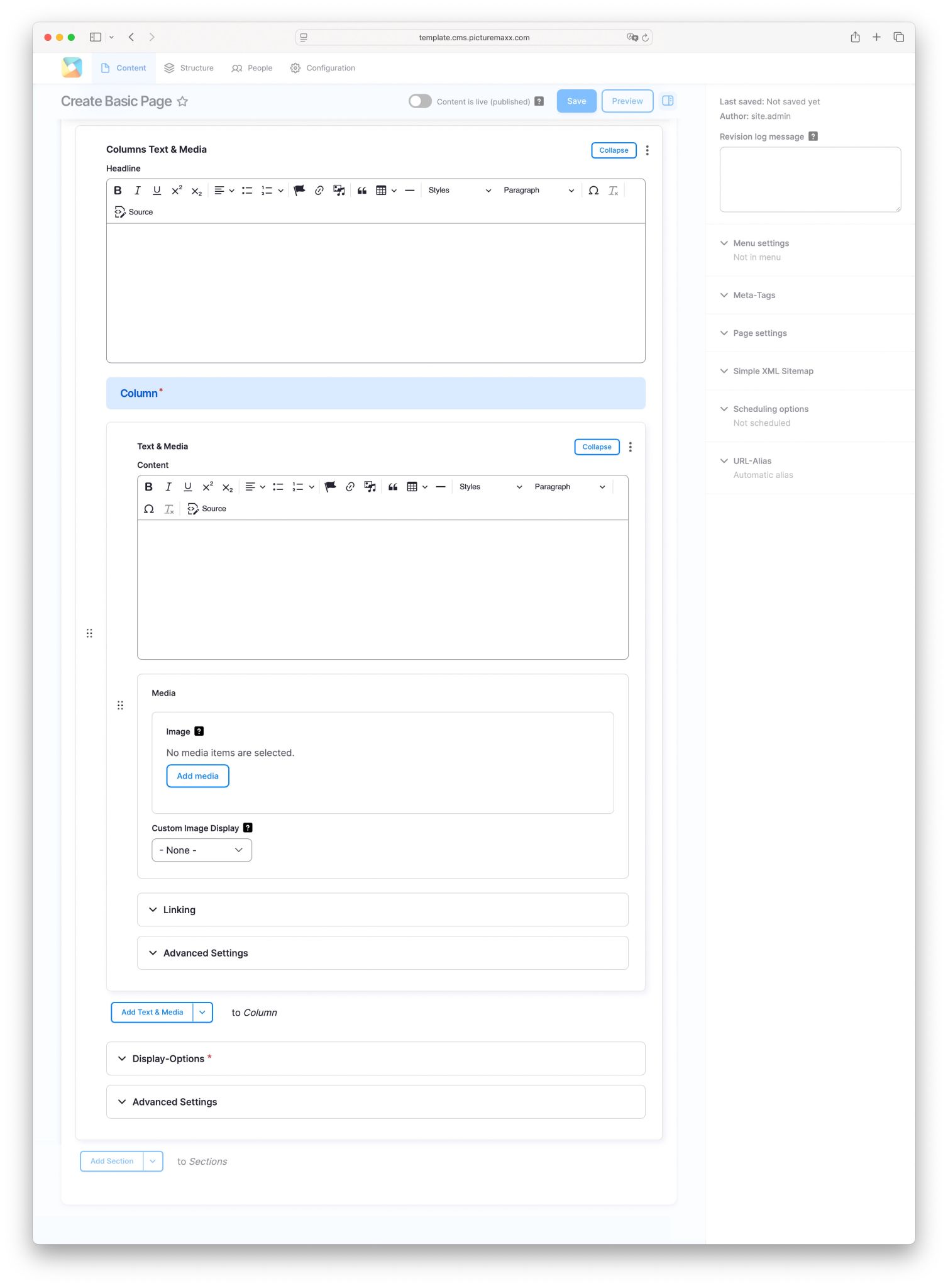
We've given the Columns, Text & Media paragraph type a thorough overhaul, reorganizing the field structure of the Text & Media element to make it clearer and more intuitive.
What's new?
The content field now sits at the very top, serving as the entry point of the paragraph. Right below it comes the image embed. In the collapsible Linking section, you can optionally add a URL, for example to make the section itself linkable.
The Advanced Settings area brings two key additions:
- Anchor link: Each Text & Media section can now be assigned its own anchor link.
- Three layout variants: You can now choose from three different layouts for displaying text and media.
What's the anchor link good for?
The anchor link is especially useful when the paragraph type is used as a slideshow (Display Options). Instead of having to click through every slide, users can jump straight to the desired content via a link, for example placed in a navigation menu. Beyond that, the anchor link lays the groundwork for additional features we'll be rolling out in the near future.
The corresponding Howto page will soon be expanded with additional information and examples about this paragraph type.
What about the Content Teaser?
As part of this update, the Content Teaser element has been marked as "deprecated." This simply means it will no longer be actively developed further. Customers already using the Content Teaser don't need to worry: it will remain fully functional and available in its current form.